
Wahai Tuhan......
Ya Allah....aku redha sekiranya ini ujianMu terhadapku..sesungguhnya Engkau lebih Maha mengetahui apa yang terbaik untukku. Tidak akan Engkau turunkan ujian ini sekiranya hambaMu ini tidak mampu mengharunginya..Yang Maha Menngasihani...aku redha ya Allah..aku redha ya Allah..
Ya Allah..Yang Maha Bijaksana
Sesungguhnya Engkau Maha Mengetahui insan insan yang telah menganiaya hambaMu ini Ya Allah...Engkau tunjukkanlah mereka jalan kebenaran..dan sesungguhnya Ya Allah..tidak hambaMu ini halalkan segala perlakuan dan setiap penganiayaan/setiap ringgit dan sen yang telah dilakukan terhadap ku Ya Allah..aku pasrah ya Allah..
Ya Allah rabbul A'lamin...
Engkau lindungilah keluargaku dari segala musibah..Engkau didiklah hati hati ini dengan ketakwaan kepadaMu ya Allah...Takut kepada Pencipta, cinta kepada Rasul dan bangga pada agamaku...Lindungilah kami dari melakukan dosa Ya Allah...dan janganlah Engkau Ya Allah menarik kenikmatan ketika hati bertasbih dan menyebut namaMu Ya Allah...sesungguhnya itulah kelazatan yang tidak terhingga di muka bumi ini Ya Allah
Amin Ya Rabbal A'lamin

HOW TO INSTALL TOMCAT 6 IN CentOS
1) Download JDK and JRE : http://www.oracle.com/technetwork/java/javase/downloads/index.html
For 64 bit server: jdk-6u24-linux-x64.bin
For 32 bit server: jdk-6u24-linux-i586.bin
2) [root@xxx]# mv jdk-6u24-linux-x64.bin /opt
[root@xxx]# mv jre-6u24-linux-x64.bin /opt
3) [root@xxx]# mkdir /usr/java
4) [root@xxx]# cd /usr/java
5) [root@xxx]# sh /opt/jdk-6u24-linux-x64.bin
[root@xxx]# sh /opt/jre-6u24-linux-x64.bin
6) Set profile:
#vi /etc/profile:
JAVA_HOME=/usr/java/jdk1.6.0_24
export JAVA_HOME
JAVA_OPTS="-d64 -server -Xms256m -Xmx16384m -XX:MaxPermSize=1024m"
export JAVA_OPTS
CATALINA_OPTS="-Djava.awt.headless=true"
export CATALINA_OPTS
#CATALINA_OPTS="-verbose:gc -XX:+PrintGCTimeStamps -XX:+PrintGCDetails
-Dcom.sun.management.jmxremote -Dcom.sun.management.jmxremote.port=8999
-Dcom.sun.management.jmxremote.ssl=false -Dcom.sun.management.jmxremote.authenticate=false
-Djava.rmi.server.hostname=localhost
-Djava.awt.headless=true"
#export CATALINA_OPTS
PATH=$JAVA_HOME/bin:$PATH
export PATH
CATALINA_HOME=/usr/share/apache-tomcat-6.0.30
export CATALINA_HOME
TOMCAT_HOME=$CATALINA_HOME/bin
export TOMCAT_HOME
HISTTIMEFORMAT=":%c:"
export HISTTIMEFORMAT
-SAVE and QUIT-
LOGOUT FROM THE SYSTEM TO ACTIVATE THE CURRENT PROFILE!!!
TEST:
[root@xxx]# echo $JAVA_HOME
/usr/java/jdk1.6.0_24
7) Download and install tomcat 6
Download apache-tomcat-6.0.30 @ http://tomcat.apache.org/download-60.cgi
8)[root@xxx]# md5sum apache-tomcat-6.0.30.tar.gz
9)[root@xxx]# mv apache-tomcat-6.0.30.tar.gz /usr/share
10) [root@xxx]# cd /usr/share
11) [root@xxx]# tar -zxf apache-tomcat-6.0.30.tar.gz
let it install by itself
12)TO TEST THE TOMCAT INSTALLATION SUCCESSFULLY DONE:
[root@xxx]# cd /usr/share/apache-tomcat-6.0.30/bin
[root@xxx]# ./startup.sh --> cat image (tomcat welcoming page) should be displayed
13) HOW TO RUN TOMCAT AS A SERVICE
[root@xxx]# cd /etc/rc.d/init.d
[root@xxx]# vi tomcatroot
#!/bin/bash
# description: Tomcat Start Stop Restart
# processname: tomcat
# chkconfig: 234 20 80
JAVA_HOME=/usr/java/jdk1.6.0_24
export JAVA_HOME
JAVA_OPTS="-d64 -server -Xms256m -Xmx16384m -XX:MaxPermSize=1024m"
export JAVA_OPTS
CATALINA_OPTS="-Djava.awt.headless=true"
export CATALINA_OPTS
#CATALINA_OPTS="-verbose:gc -XX:+PrintGCTimeStamps -XX:+PrintGCDetails -Dcom.sun
.management.jmxremote -Dcom.sun.management.jmxremote.port=8999 -Dcom.sun.managem
ent.jmxremote.ssl=false -Dcom.sun.management.jmxremote.authenticate=false -Djava
.rmi.server.hostname=localhost -Djava.awt.headless=true"
#export CATALINA_OPTS
PATH=$JAVA_HOME/bin:$PATH
export PATH
CATALINA_HOME=/usr/share/apache-tomcat-6.0.30
export CATALINA_HOME
TOMCAT_HOME=$CATALINA_HOME/bin
export TOMCAT_HOME
case $1 in
start)
sh $CATALINA_HOME/bin/startup.sh
;;
stop)
sh $CATALINA_HOME/bin/shutdown.sh
;;
restart)
sh $CATALINA_HOME/bin/shutdown.sh
killall -9 java
sh $CATALINA_HOME/bin/startup.sh
;;
esac
exit 0
-SAVE AND QUIT-
14) [root@xxx]# chmod 755 tomcatroot -->permission for executeable
15)[root@xxx]# chkconfig --add tomcatroot
16)[root@xxx]# chkconfig --level 2345 tomcatroot
17)[root@xxx]# chkconfig --list tomcatroot
TO RUN THE TOMCAT SERVICE
18) [root@xxx]# service tomcatroot start|stop|restart|
HOW TO RUN TOMCAT AS NON-ROOT USER
1) [root@xxx]# groupadd tomcat -->group:tomcat,user:black
2) [root@xxx]# useradd -g tomcat -d /usr/share/apache-tomcat-6.0.30/black black
3) [root@xxx]# chown -Rf black.tomcat /usr/share/apache-tomcat-6.0.30
HOW TO INSTALL LAMBDA PROBE (monitoring tools for tomcat)
_________________________________________________________
1) Go to: http://www.lambdaprobe.org/d/download.htm;jsessionid=E705E7AE96812AB8F390BF6454CBE15E
download --> probe.1.7b.zip
2) INSTALL
Installing manually
* Download Lambda Probe .war file
* Shutdown Tomcat if it is running
* Copy probe.war to $CATALINA_HOME/webapps/
* Start Tomcat
3) Edit tomcat-users.xml:
under
4) Save and restart tomcat
5) Open your browser, type: http://localhost/probe
 This is my eldest.I adore him so much...so mouthful of unexpected words..which makes my day everyday! Each of single day he grew up and makes me love him more than words can say...
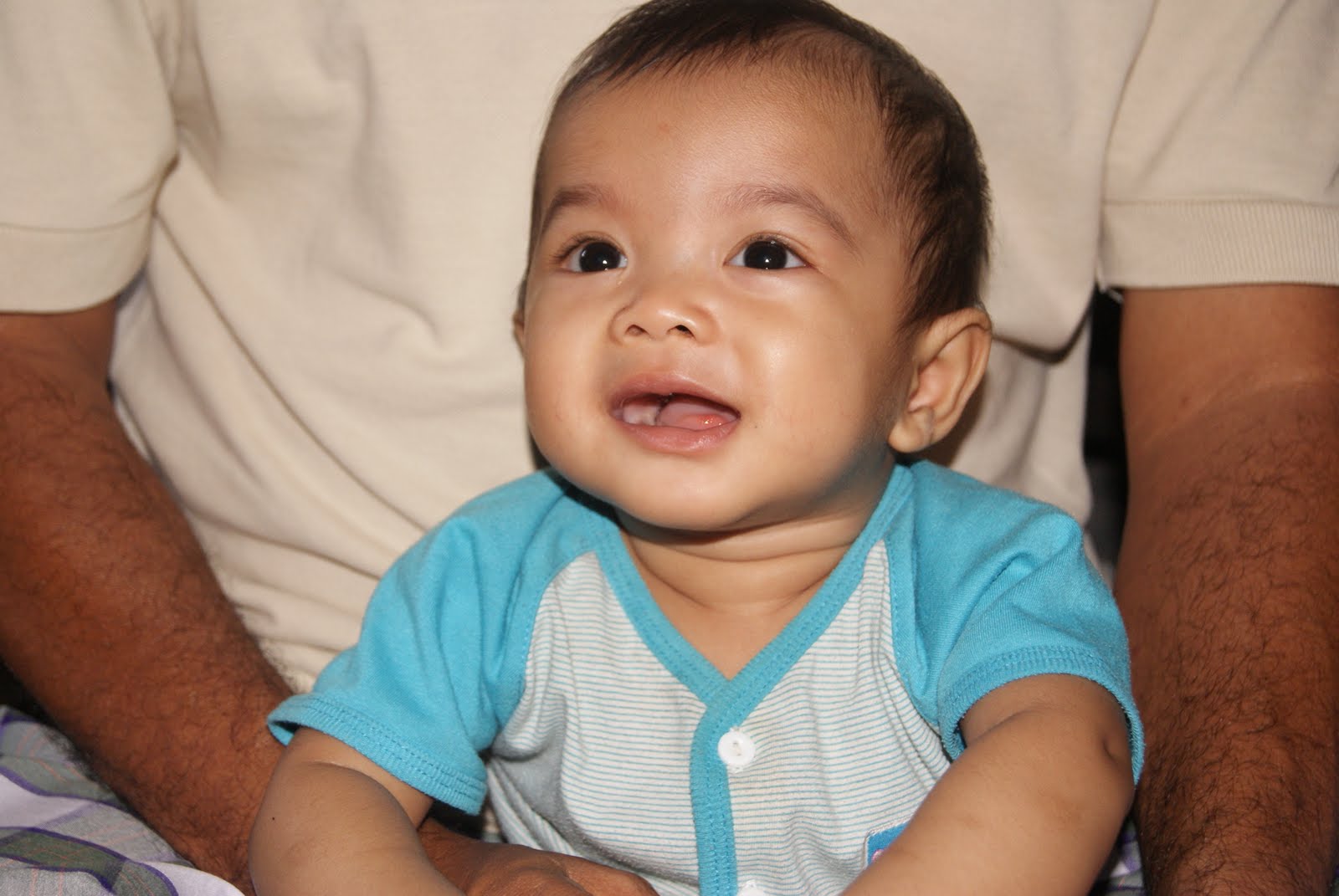 And...this is the second...just like his brother..they have lots in common..except that I can see he is more harsh compared to his brother...still stick with me for about almost 9 months now..he is so adorable...always like to make "muke chomel" and the fish style...begging me to dukung him...I love both of my diamonds so much!....I always pray that Allah will protect them and lead them to be a good Muslims..and always be with me till the end of my life..Amin


What do i want for my birthday this year?...I had couple of things in my head right now..(couple of things tu..eheh..mcm byk je)...Here are the list:
1) fossil handbag
2) tissot watch
So far dua ni jelah...

CONFIGURING THE NTP CLIENT
++++++++++++++++++++++++
1) #yum install ntp **to get latest ntp**
2)#chkconfig --level 235 ntpd on **to let the ntp started upon boot of the OS**
3)#ntpdate 192.168.10.xx (my master ntp server)
4)#service ntpd start
please refer to this link:
http://www.thewebhostinghero.com/tutorials/synchronizing-system-clock-ntp.html
CONFIGURING THE NTP SERVER
++++++++++++++++++++++++
Please refer to this link:
http://www.cyberciti.biz/faq/rhel-fedora-centos-configure-ntp-client-server/
Thanks for the both links which help me much!

CONFIGURE JCONSOLE FOR JVM (TOMCAT) on CENTOS:
**********************************************
1) #vi /etc/profile
insert -->
CATALINA_OPTS="-Dcom.sun.management.jmxremote -Dcom.sun.management.jmxremote.port=8999 -Dcom.sun.management.jmxremote.ssl=false -Dcom.sun.management.jmxremote.authenticate=false -Djava.rmi.server.hostname=127.0.0.1"
export CATALINA_OPTS
2) #jconsole
go to remote process,type:
localhost:8999 --> connect
Please refer to:
http://download.oracle.com/javase/1.5.0/docs/guide/management/faq.html
http://www.markomedia.com.au/blog/monitor-railo-on-tomcat-using-jconsole.html (best to refer)
https://wiki.internet2.edu/confluence/display/CPD/Monitoring+Tomcat+with+JMX
*************************************************
How to check port 8999 listening:
#netstat -anp | grep 8999
Enable 8999 to listen:
#iptables --list
#/usr/sbin/iptables -I INPUT -s 127.0.0.1/192.168.10.220 -p tcp --destination-port 8999 -j ACCEPT
**********************************************************************************
HOW TO ENABLE GC LOG IN CATALINA.OUT
In /etc/profile:
-->
CATALINA_OPTS="-verbose:gc -Xms256m -Xmx512m -XX:+PrintGCTimeStamps -XX:+PrintGCDetails"
export CATALINA_OPTS
When we talk about life..there's lot of options/decisions that need to deal with..this will determine what might be happened next...have u make a good decision to decide yours? Me?
Yes..I did it when it needed. When making a decision, there's a lot of consideration that need to be taken care of...people that u love,surrounding that makes u happy,people's feeling and so on..
Lots of things happened in my life...good and bad...but I do believe ...each of them happened for a reason and sake.
Anyway, once u make it, deal with it. Look forward and do not flip back...there's always good things happened along the journey...take it easy...enjoy your life. Sacrifice?...Yup...it's a must even if it is a win win situation.There's always a price to pay toward anything happened..deal with it...
At the end of the day....I have to leave the people that i love so that I can go along the journey alone to gain maturity and part of life lesson
